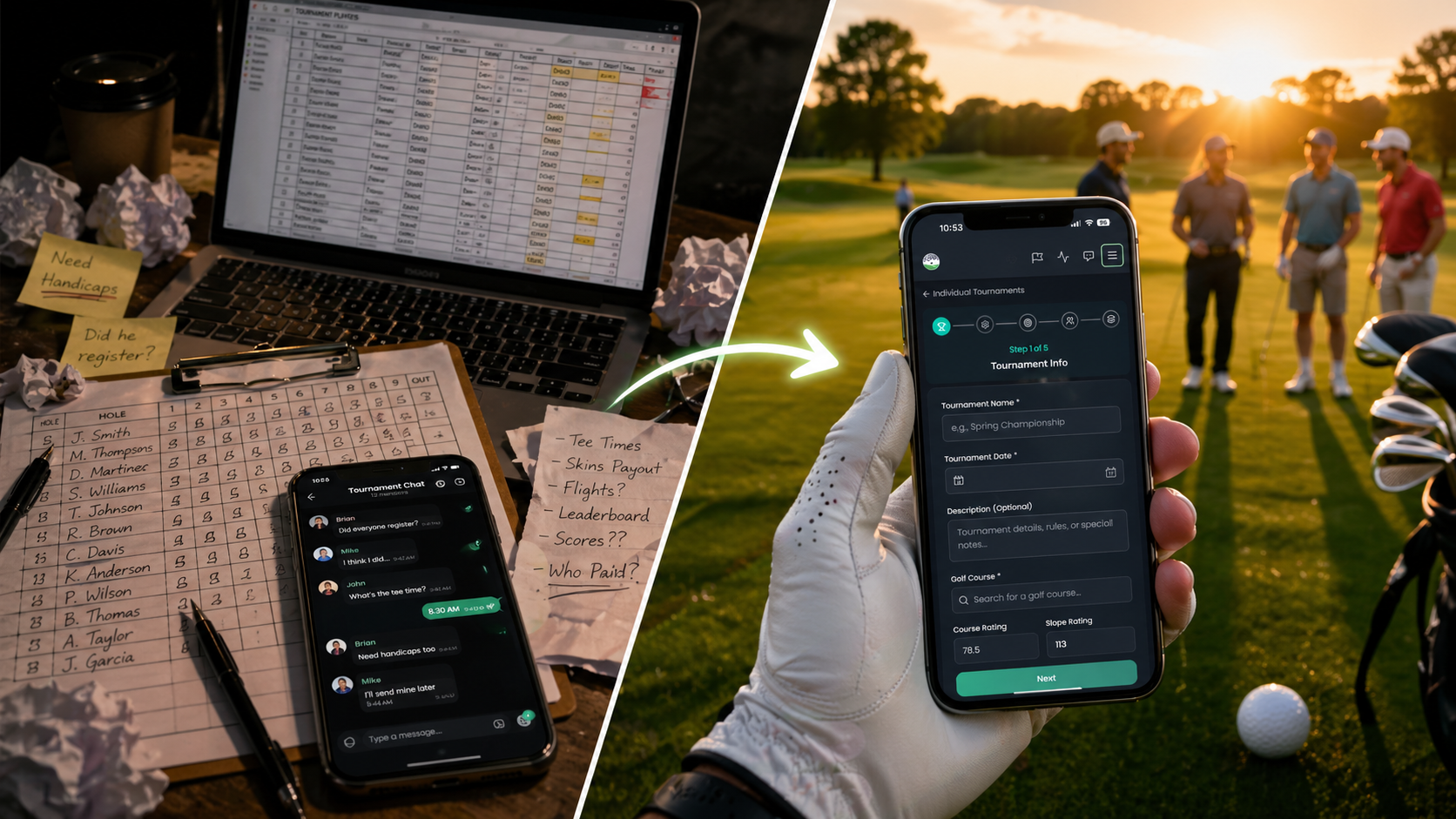
We Did Something to Golf Tournaments. Organizers Are Going to Lose Their Minds

You know the drill. Someone in the group chat says, “We should do a tournament.” Twelve replies later, you have a spreadsheet, a Venmo request, a printed scorecard nobody can read, and a teammate who insists he’s a 12 (he is not a 12).
What if you could go from “we should do a tournament” to “tee times are locked in, teams are formed, and the leaderboard is live” in about five minutes?
Meet your new favorite tab: Events.
What Is the Events Page, Exactly?
Events is the front door to everything happening in your golf world — the charity scramble at the muni, the Tuesday-night demo day, the member-guest your buddy keeps hinting about, the clinic your kid is begging to do. It’s a public, browseable feed of golf-things-happening, and it’s also a launchpad for running your own.
Anyone can browse and view events — no account needed. Premium members get to create events, register for them, and (the really fun part) automatically spin up a full tournament out of the same flow.
The big idea: An Event is the public-facing front of the house (cover photo, date, description, registration). A Tournament is the back of the house (teams, scoring, leaderboards). When you create a tournament-format Event, we wire them together automatically. You manage one thing — both stay in sync.
The Lineup: What You Can Create
Pick a format and the wizard adapts to match. We split events into two flavors:
Tournament Events (we auto-create the tournament for you)
- Scramble Tournament — The classic. Everyone tees off, take the best ball, play it home. Standard, Texas, Florida, and Vegas variants supported.
- Best Ball Tournament — Individual scoring with team selection. Best Ball, Two Best Balls, Cha-Cha-Cha, Best Balls by Par.
- Shamble Tournament — Scramble drive, then everyone plays their own ball in. The fairest format you’ll ever run.
- Individual Tournament — Stroke Play or Stableford, optional Skins and Closest-to-Pin side games, multi-flight support.
Info-Only Events (no tournament, just the listing)
- External Tournament — The big charity day at the country club, scored by someone else. List it, fill it, drive people to the registration link.
- Demo Day — Reps on-site, irons in the bag, a launch monitor under the pop-up tent.
- Golf Clinic — Junior camp, ladies’ clinic, short-game school.
- Social Gathering — The 19th hole gets its own event, too.
- Other — For when none of the above quite fits and you don’t feel like explaining yourself.
And because golf is for everybody, every event can be tagged with categories like Adaptive / Amputee, Charity / Fundraiser, Corporate Outing, Junior, Member-Guest, Memorial / Tribute, and more.
The Five-Step Wizard (a.k.a. The Whole Point)
Tap Create Event, pour a cold one, and walk through it:
- Event Details. Title, description (full rich-text editor — go nuts), start and end times.
- Location & Type. Search for the course (we auto-fill the address and pull in the rating and slope), pick a format, add a category, paste an external website if you have one. Attach up to four documents — registration packets, course maps, sponsor decks, hole-sponsorship forms — each up to 10 MB and each with its own tappable link on the event page.
- Tournament Settings. Only shows up for tournament formats. Team size, max teams, men’s and women’s tees, gross or net scoring, shotgun or tee times, flights, contests like Long Drive and Closest to Pin, guest-player allowance, and a registration deadline.
- Registration & Media. Upload a cover photo, set a max participant count, toggle comments on or off, and pick your audience: Public, Unlisted (link / QR / buddy invite only), or Draft.
- Review & Publish. Add organizer contacts (name, role, email, phone), give it one last look, and hit the button.
Hit Publish on a Scramble, Best Ball, Shamble, or Individual event and — in the background, without you lifting another finger — we create the matching tournament, link it to your event, and start accepting registrations. Magic. Just magic.
Registration That Doesn’t Feel Like Paperwork
Players opening a tournament event get two clean buttons:
Register as Individual
Confirm a handicap (we pre-fill it from the player’s profile), set cart preferences, leave a note about a preferred tee time or accessibility need, done. They land in the unassigned-players pool and you slot them onto a team when you’re ready.
Register as a Team
The first player becomes Team Captain, picks a name (we even suggest a fun golf-themed one — The Dimple Dealers, Bogey Brigade, you get it), and adds teammates. Search for buddies already on the app, or add guest players — just a name, a handicap, and an optional email. Mom can play. Your boss can play. Your boss’s mom can play.
Heads up, organizers: Every guest player can be claimed later. If your guest signs up after the round, their stats and history fold neatly into their new account. No double-entry. No “wait, was that me or my dad?”
Documents, Contacts, and the Little Touches
The non-tournament events get their own polished layout: description on the left, a tidy right-rail with Documents, Location, Organizer Contacts, and the Event Publisher (which, by the way, is the BOTG user who posted the listing — not necessarily the event’s actual organizer). It looks like something a tournament director would print in the gift bag. Except it’s on a phone. And it’s free.
Need to update the start time? Edit the event. Want to swap the sponsor PDF? Re-upload. Comments getting spicy? Toggle them off.
Three Real-World Plays
The Charity Scramble
You’re running a 32-team scramble for a local cause. Create a Scramble Tournament event, set max teams to 32, enable shotgun start, add a Closest-to-Pin contest on the par 3s, attach the sponsor deck and the registration packet, drop in the charity website URL, set it to Public. Share the link in three group chats and watch the registrations roll in.
The Member-Guest Weekend
You don’t need the world to find this one. Create a Best Ball Tournament event, set visibility to Unlisted, invite your buddies, send the QR code to the host. The course is locked in, the teams build themselves, and the leaderboard handles itself.
The Tuesday Demo Day
Your local pro shop has a fitter coming in. Create a Demo Day info-only event, attach the rep’s flyer, drop in the shop’s website, add the pro’s contact info, and publish. No registration needed — people show up because they saw it in the feed.
The Soft Paywall, Explained
Browsing is free for everyone — no account, no friction. Registering, creating, commenting, and inviting buddies are Premium features. Translation: the events you publish reach a wide audience, and the people who actually engage with them are the ones serious enough to subscribe. Good for organizers. Good for the platform. Good for golf.
Go Run Something
The hardest part of organizing a golf event has always been the part that has nothing to do with golf. We’ve sanded down every rough edge we could find — the team math, the handicap allowances, the registration spreadsheet, the printed scorecards, the “wait, what hole are we starting on?” texts at 6:47 a.m.
What’s left is the part that always mattered: a group of people, a great course, and a reason to show up.
Pour the coffee. Open the app. Tap Create Event. We’ll take it from there.
Ready to host?
Browse the Events feed, grab inspiration from what others are running, and create your first event in under five minutes.
Recommended Products

Titleist Pro V1 Golf Balls
Pro V1 has a softer feel, less spin and flatter trajectory than Pro V1x, which makes it the preferred model for players who like exceptionally long distance, the ability to flight shots, and score with precision and touch.