
Create Events & Scramble Tournaments in One Place: A Game-Changing Feature for Golfers

Golf is more fun when everything just works. That’s why we’re excited to introduce one of our most powerful updates yet: Event and Scramble Tournament creation, fully integrated into a single, seamless flow.
Whether you’re an organizer planning a charity scramble, a captain registering your foursome, or a solo golfer looking to jump into the action, this new feature was built with you in mind. It combines discovery, registration, team management, and tournament play—without extra steps or confusion.
Let’s break down what’s new, how it works, and why it makes tournament golf better for everyone.
What Is the Event & Scramble Tournament Integration?
At its core, this feature connects Events and Scramble Tournaments into one unified experience.
Instead of managing an event in one place and a tournament somewhere else, the Event now acts as the public-facing hub, while the Tournament handles all the competitive gameplay behind the scenes.
Why This Matters
- Players discover tournaments the same way they discover any event
- Registration flows feel familiar and intuitive
- Organizers get full tournament control instantly
- Teams and players sync automatically—no manual setup
In short: less admin, more golf.
Everything you love about scrambles—now with smoother setup and signups.
Creating a Scramble Tournament Event (Organizer Experience)
Setting up a tournament is now both powerful and enjoyable.
Step-by-Step Overview
- Navigate to Events → Create Event
- Choose Scramble Tournament as the format
- Add your event details (name, date, description)
- Select a golf course (course data loads automatically)
- Configure tournament settings:
- Team size (2–4 players)
- Individual or Team registration
- Men’s & Women’s tees
- Net or Gross scoring
- Scramble variant (Standard, Texas, Florida, Vegas)
- Publish—and you’re live 🎉
The moment the event is published, the tournament is automatically created and linked, so you can start managing teams right away.
Create a tournament event in minutes—then manage it instantly.
Two Easy Ways to Register: Individual or Team
We know golfers register in different ways, so we built flexibility right into the experience.
Individual Registration
Perfect for players who:
- Don’t have a team yet
- Want the organizer to balance teams
- Enjoy meeting new playing partners
Players simply confirm their handicap and preferences, and they’re placed into an Unassigned Players pool for the organizer.
Team Registration (Scramble Style)
Ideal for:
- Friends signing up together
- Corporate or charity teams
- Groups that want to play as-is
The team captain:
- Names the team
- Adds teammates or guests
- Submits once—and the team is instantly created in the tournament
No extra syncing. No follow-up steps.
Register solo or register your full squad—it’s your call.
Smart Team Formation for Organizers
Once registrations start rolling in, organizers have full control.
Team Creation Options
- Manual Assignment – Hand-pick teams from registered players
- Random Assignment – Quick, simple team generation
- Handicap-Balanced Teams – Automatically creates fair, competitive teams
Everything updates in real time, so the Event page always shows accurate registration counts and team status.
A Seamless Experience for Players
From a player’s perspective, everything feels smooth and confidence-building.
What Players See
- Clear registration confirmation
- A “Manage Registration” link that always takes them to the right place
- Their team name and role (Captain, Member, Individual)
- Easy withdrawal with clear warnings if it affects teammates
No guessing. No confusion. Just clarity.
Mobile-First, Tournament-Ready
The Event page has been optimized for mobile users, because that’s where most golfers are.
Mobile Highlights
- Prominent “Register” call-to-action
- Countdown urgency as the event approaches
- Clear badges like “You’re In” or “Spots Remaining”
- Collapsible tournament sections to save space
Whether you’re on the course or on the couch, registration feels fast and friendly.
Built for Trust, Security, and Performance
Behind the scenes, this feature was engineered with care to stay safe, stable, and fast:
- Ownership-based access controls to protect registrations
- Atomic registrations so teams don’t get half-created
- Automatic refresh so data stays current
- Protection against duplicate sign-ups
- Accessibility-first UI patterns (focus rings, touch targets, ARIA labels)
The result is a system that feels effortless—but is rock-solid under pressure.
Why This Feature Changes the Game
This integration isn’t just about convenience—it’s about confidence.
- Organizers trust that teams and players are in sync
- Players know exactly where they stand
- Events feel professional and polished
- Tournaments scale without added complexity
It’s a modern approach to golf events, built for real-world use.
Frequently Asked Questions (FAQs)
1. Can I create a tournament without technical knowledge?
Yes. Everything is configured through simple forms—no technical setup required.
2. What happens if a team member withdraws?
If a team member withdraws, the entire team is removed to keep competition fair and avoid partial teams. Players can re-register with a different team if needed.
3. Can I allow both individual and team registration?
Organizers choose the registration mode during event setup. If you’d like both options, set the event experience to guide players accordingly.
4. Does the tournament start automatically?
No. Organizers activate the tournament when teams, tee times, and groups are ready.
5. Can guests join a team?
Yes. Team captains can add guest players during registration.
6. Will this work for future tournament formats?
Yes. The system is designed to expand to additional formats over time.
Conclusion: One Feature, Endless Possibilities
By integrating Events and Scramble Tournaments, we’ve removed friction from one of the most exciting parts of golf—playing together.
It’s faster to set up, easier to join, and more enjoyable for everyone involved. Whether you’re organizing your first scramble or joining your tenth, this feature makes the experience smoother from start to finish.
We can’t wait to see the tournaments you create. ⛳
Recommended Products

TaylorMade Men's Stratus Tech Golf Glove (Pack of 2)
DURABLE PERFORMANCE: Wear resistant combination of Hypertec and leather SWEAT AND HUMIDITY RESISTANT: Hypertec material helps maintain a consistent grip in hot and humid conditions Enhanced breathability: strategically placed micro perforations to optimize breathability for any climate ULTIMATE FLEXIBILITY: 4-way stretch material with leather and HyperTec construction, Stratus Sport delivers comfort, fit, and feel for your game
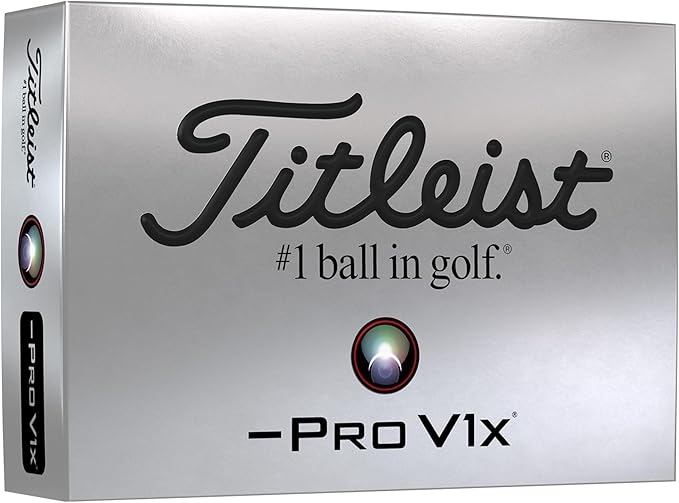
Titleist Pro V1x Left Dash Golf Balls
Titleist® Pro V1x® Left Dash golf balls are designed for players seeking a high flight similar to Pro V1x® with dramatically lower full swing spin and firmer feel.